Monday, 30 April 2012

inspiraiton

I decided to take a step away from the coding and all that for a bit, and look at some inspiration images from actual expressionist paintings.

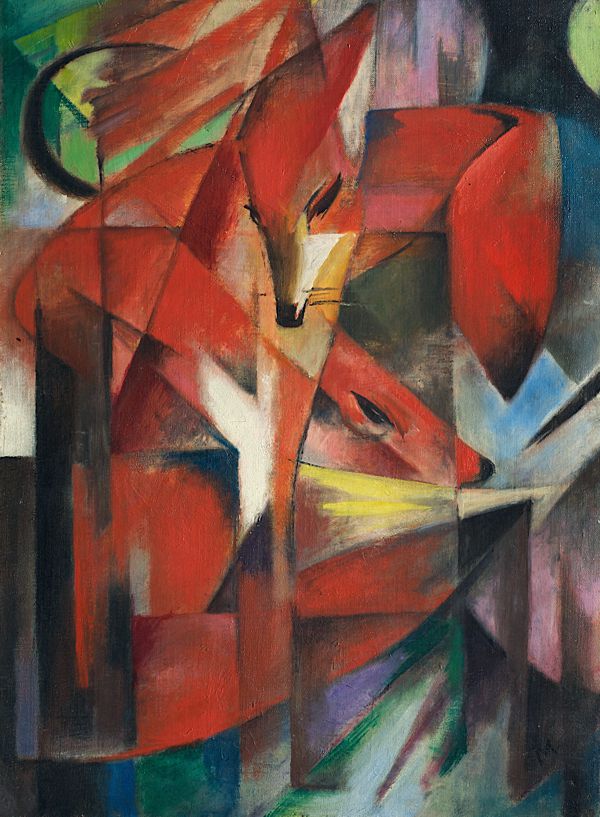
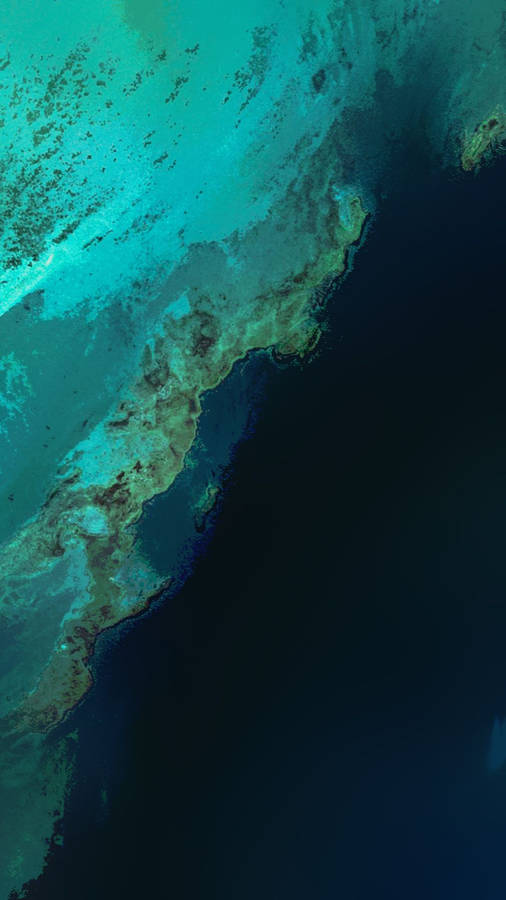
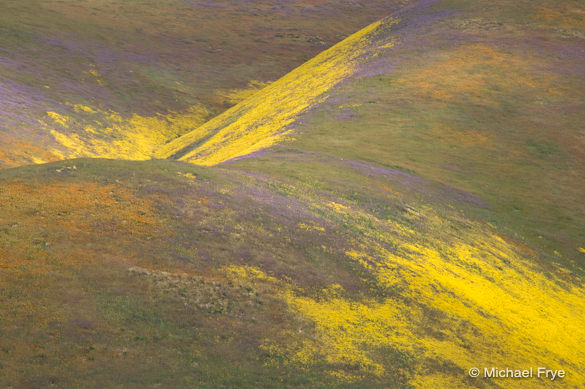
I went through a google image search of "expressionist painting", and without thinking too much, picked out all the paintings from the first few pages that stuck out to me as being interesting. This was the result:


It's interesting that there are some obvious themes coming through in what i choose. A lot of the paintings use only a few main colours, and then have some lighter colours as accents. (forgive my lack of painting terminology, perhaps i should research that...)

I'm not suprised that i picked a lot of two/three colour images, because this was an aesthetic i started developing for my own brand in last year in one of my papers (identity and the internet).

I think looking at these has helped me in thinking how I could push this colours further in my design. I am really really liking the red/blue/white mixture that is apparent in a few of the paintings. I assume its the same painter that did three or four with the same colour scheme and style.

Oh and here's a list of the links:

http://www.artyfactory.com/art_appreciation/animals_in_art/franz_marc/foxes.jpg



ellipse size test


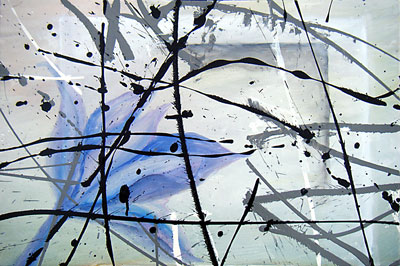
I thought that by increasing the ellipse size, i might get a much thicker brush stroke appearance. But in this test, it destroys most of the form of the image that i liked. So it appears simply increasing the ellipse but not changing anything else wont work.

Background colour test and composition change


Initial experiment with having a background colour, as opposed to white. I think this makes the whole image feel more cohesive and interesting.

I should note that the red that i've been using is more of a place holder than a specific choice. I'm going to explore the colour properly once i've got the form right,


I've also began to explore how I can compose this in more of a horizontal format, and with the composition weighted to once side. I think this starts to make it more interesting, as it gives the eye a direction to focus on (the left hand side), and allows you to slowly uncover the details that are seeping onto the right hand side. Initially, or atleast, from a distance, the right hand side seems like negative/empty space,  but there are actually lots of ellipse making lines faintly.


Fixing up code

This image below is pretty similar to the previous experiments, however i've now changed the code so that it is much more user friendly for me to customize. Originally, each of the forms was written as an ellipse code, within a function. Like this:

       
        ellipse(x*data[i-1]+500,y*data[i]+(100+data[i]),size,size)
        ellipse(x*data[i-1]+(600+data[i]),y*data[i]+(200+data[i]),size,size)
        fill(random(150,180),0,0,10)
        ellipse(x*data[i-1]+(900+data[i]),-y*data[i]+(200+data[i]),size,size)
        fill(random(50,100),0,0,10)
        ellipse(-x*data[i-1]+(900+data[i]),-y*data[i]+(500+data[i]),size,size)
     
But many many more ellipses.

So with this new version, i've changed it so the different parts of the ellipse are variables, which i can alter in the draw function (rather than changing them within the function itself). I'm not sure of the correct way to describe that but i think you will understand.
So now its more like...

def plot (data, yoff,minusx,minusy,xpos,ypos,size,col1,col2):
      extra stuff here

      ellipse((minusx*x)*data[i-1]+(xpos+data[i]),(minusy*y)*data[i]+(ypos+data[i]),size,size)


I plan to extend the number of variables later to include the colour, size, pow numbers etc so that i have full control over each individual form, or part, of the image. 


Sunday, 29 April 2012

technical drawing or painting

It's interesting how with smaller ellipses, the code creates lines which could be designed to mimic a technical drawing, or a sketch of some sort (with my idea of trying to create something that doesn't look computer generated). 


Whereas larger circles, with less spread in the curves, creates a much more paint like feel. I like how the colours begin to look as though they are seeping together when they cross, in the same way paint would. 


So above are the three that I decided were the most interesting to me, and the direction I want to develop. I particularly like the second from the left, in the way that it has the main structure of thicker forms, and then lots of small ellipse falling off it. It creates something very expressive and dynamic. It also reflects a style similar to impressionist painting, where the paintings are made up of lots of small dots (i'm thinking of Van Gogh paintings). 


multiple forms

So I then began to explore how these brush strokes could work in a composition with multiple forms, rather than just one. So I did a bunch of experiments and i'll pick out a few to quickly talk about in the next post.

The first collection of images shows the development as I introduced more and more forms. I was purposefully positioning them at this point into a form. In this way, each individual form has a random element to its shape, but the overall image has a structure.

You can also see early developments in the composition, in terms of centering the design or having it come from the top of the image and flow downwards.


In this image, I felt that the painting style look i was going for was becoming more apparent:


This second lot shows further experimentation wit the form, where i've altered a bunch of a variables to see what gives me the


brush stroke variations

So based off that initial image that i felt looked a little like brush strokes, I created a bunch of variations to test out how I could make it look more natural and fluid, like paint strokes. And also how the use of randomness can make it look like a natural brush stroke (which has flaws) or like paint that has been dripped along a page.


PROJECT 2 BEGINS HERE + brush stroke idea


When playing around with the distribution and filtering concepts, I created this image which I thought had the potential to look a lot like brush strokes. Immediately, I had the idea that I wanted to create some sort of painting like image for project 2. I like the idea of creating an image that will be difficult for someone to know if it was done on the computer, or actually painted. I will look into inspiration from expressionist/impressionist painting. 


ex2:filtering

Experiments with filtering for ex2. These were actually a mix of distribution and filtering.. for the hand in, i'll be choosing examples that just use filtering. 


ex2: random

Experiments with random for exercise 2


Wednesday, 11 April 2012

Oops

So i've just discovered that blogspot links into my google plus account, and posts all the pictures there. I didn't want that, so I deleted the album from google plus, not realising that it would delete all the photos from here aswell..

So i am going through and re-uploading all the images >< I hope this doesn't cause any inconvenience.

Edit: I've managed to repair most of the posts, but some images are still missing. I hope that the text is enough to understand what was going on in each post (for now).